<?php
?>

Hi, I'm Liam!
liamhammett.com @LiamHammett
10 Tips
20 Tips
50 Tips
for every Laravel app
laravel new my-app
laravel new my-app \
    --git \
    --livewire \
    --pest
laravel new my-app \
    --using=imliam/smarter-kit
cpx laravel/installer new my-app \
    --using=imliam/smarter-kit
composer require laravel/boost --dev

php artisan boost:install
composer.json
{
    "scripts": {
        "post-update-cmd": [
            "@php artisan boost:update"
        ]
    }
}
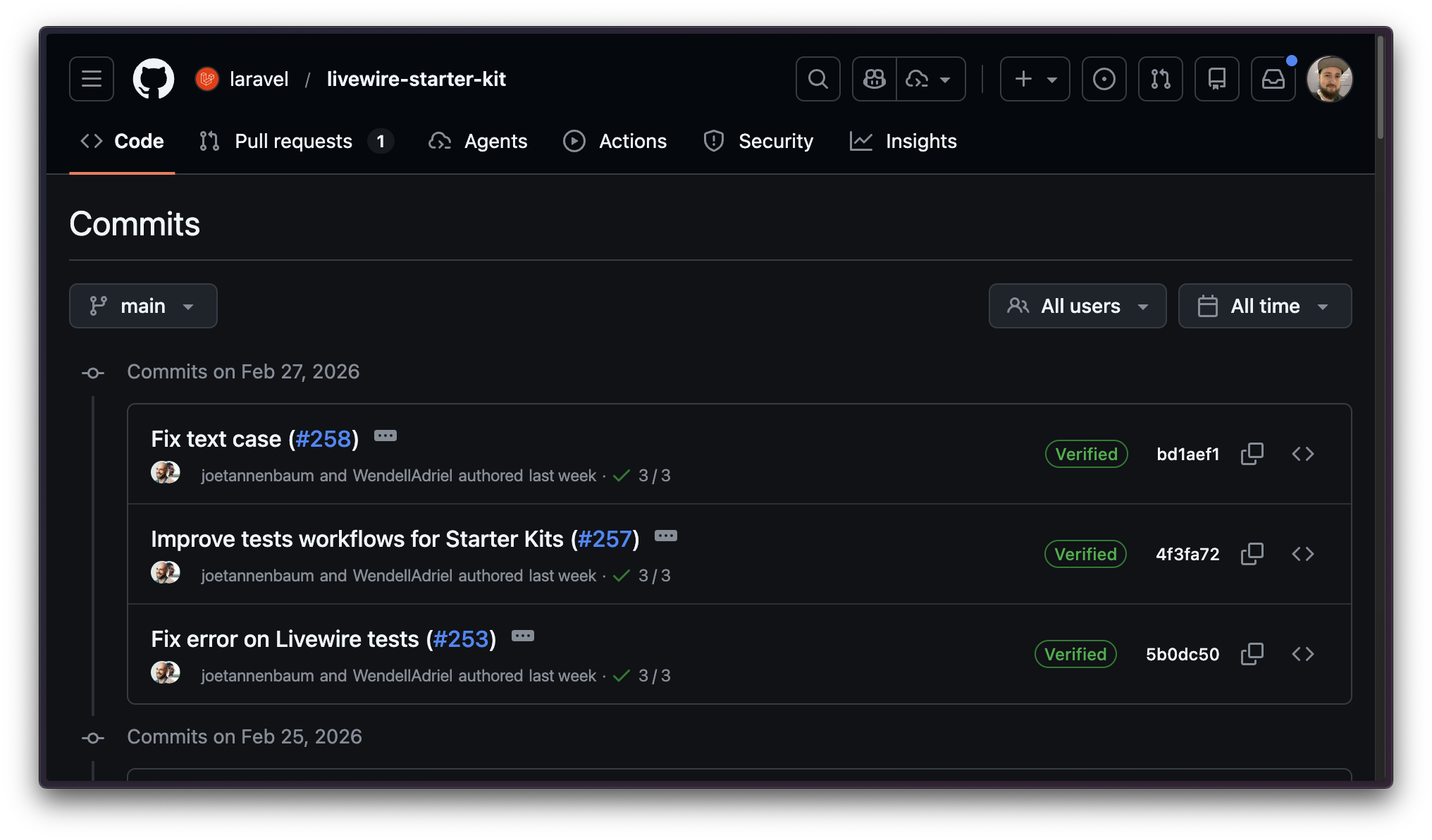
php artisan boost:add-skill laravel/agent-skills \
  --skill=starter-kit-upgrade
You
Sync the latest toast notification feature from the Livewire starter kit
L
starter-kit-upgrade skill is loaded and ready
Looked through how the toast notification feature works in the latest starter kit
AI
Agent
I've added toast notifications to your app!
AppServiceProvider.php
class AppServiceProvider extends ServiceProvider
{
    public function boot()
    {
        Date::use(CarbonImmutable::class);

        DB::prohibitDestructiveCommands(
            app()->isProduction(),
        );

        Password::defaults(fn (): ?Password => app()->isProduction()
            ? Password::min(12)
                ->mixedCase()
                ->letters()
                ->numbers()
                ->symbols()
                ->uncompromised()
            : null,
        );
    }
}
AppServiceProvider.php
class AppServiceProvider extends ServiceProvider
{
    public function boot()
    {
        Date::use(CarbonImmutable::class);

        DB::prohibitDestructiveCommands(
            app()->isProduction(),
        );

        Password::defaults(fn (): ?Password => app()->isProduction()
            ? Password::min(12)
                ->mixedCase()
                ->letters()
                ->numbers()
                ->symbols()
                ->uncompromised()
            : null,
        );
    }
}
$startDate = $event->starts_at;
$endDate = $startDate->addDays(1);

$startDate->toDateString();  // '2026-08-22' - should be '2026-08-21' 😱
$endDate->toDateString();    // '2026-08-22'
AppServiceProvider.php
class AppServiceProvider extends ServiceProvider
{
    public function boot()
    {
        Date::use(CarbonImmutable::class);

        DB::prohibitDestructiveCommands(
            app()->isProduction(),
        );

        Password::defaults(fn (): ?Password => app()->isProduction()
            ? Password::min(12)
                ->mixedCase()
                ->letters()
                ->numbers()
                ->symbols()
                ->uncompromised()
            : null,
        );
    }
}
AppServiceProvider.php
class AppServiceProvider extends ServiceProvider
{
    public function boot()
    {
        Date::use(CarbonImmutable::class);

        DB::prohibitDestructiveCommands(
            app()->isProduction(),
        );

        Password::defaults(fn (): ?Password => app()->isProduction()
            ? Password::min(12)
                ->mixedCase()
                ->letters()
                ->numbers()
                ->symbols()
                ->uncompromised()
            : null,
        );
    }
}
php artisan migrate
php artisan db:seed
php artisan migrate:fresh
php artisan migrate:refresh
php artisan migrate:reset
php artisan migrate:rollback
php artisan db:reset
AppServiceProvider.php
class AppServiceProvider extends ServiceProvider
{
    public function boot()
    {
        Date::use(CarbonImmutable::class);

        DB::prohibitDestructiveCommands(
            app()->isProduction(),
        );

        Password::defaults(fn (): ?Password => app()->isProduction()
            ? Password::min(12)
                ->mixedCase()
                ->letters()
                ->numbers()
                ->symbols()
                ->uncompromised()
            : null,
        );
    }
}
AppServiceProvider.php
class AppServiceProvider extends ServiceProvider
{
    public function boot()
    {
        Date::use(CarbonImmutable::class);

        DB::prohibitDestructiveCommands(
            app()->isProduction(),
        );

        Password::defaults(fn (): ?Password => app()->isProduction()
            ? Password::min(12)
                ->mixedCase()
                ->letters()
                ->numbers()
                ->symbols()
                ->uncompromised()
            : null,
        );
    }
}
RegisterController.php
$this->validate([
    'password' => ['required', Password::defaults()],
]);
<input
    name="password"
    type="password"
    required
    autocomplete="new-password"
    passwordrules="{{ Password::defaults()->toPasswordRulesString() }}"
/>
AppServiceProvider.php
class AppServiceProvider extends ServiceProvider
{
    public function boot()
    {
        Date::use(CarbonImmutable::class);

        DB::prohibitDestructiveCommands(
            app()->isProduction(),
        );

        Password::defaults(fn (): ?Password => app()->isProduction()
            ? Password::min(12)
                ->mixedCase()
                ->letters()
                ->numbers()
                ->symbols()
                ->uncompromised()
            : null,
        );
    }
}
login.blade.php
<input
    type="email"
    name="email"
    value="{{ app()->isLocal() ? 'admin@example.com' : '' }}"
/>

<input
    type="password"
    name="password"
    value="{{ app()->isLocal() ? 'password' : '' }}"
/>
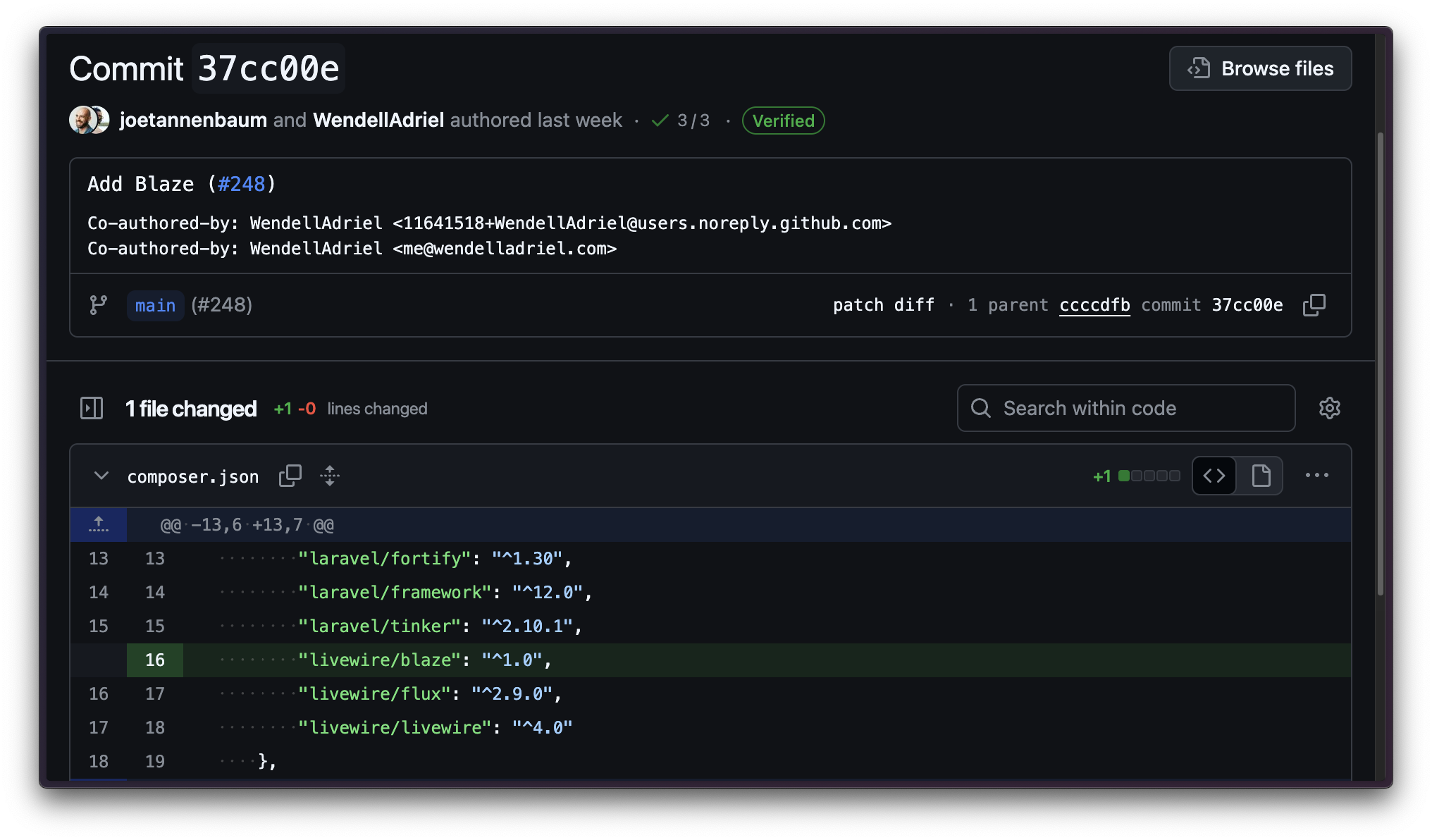
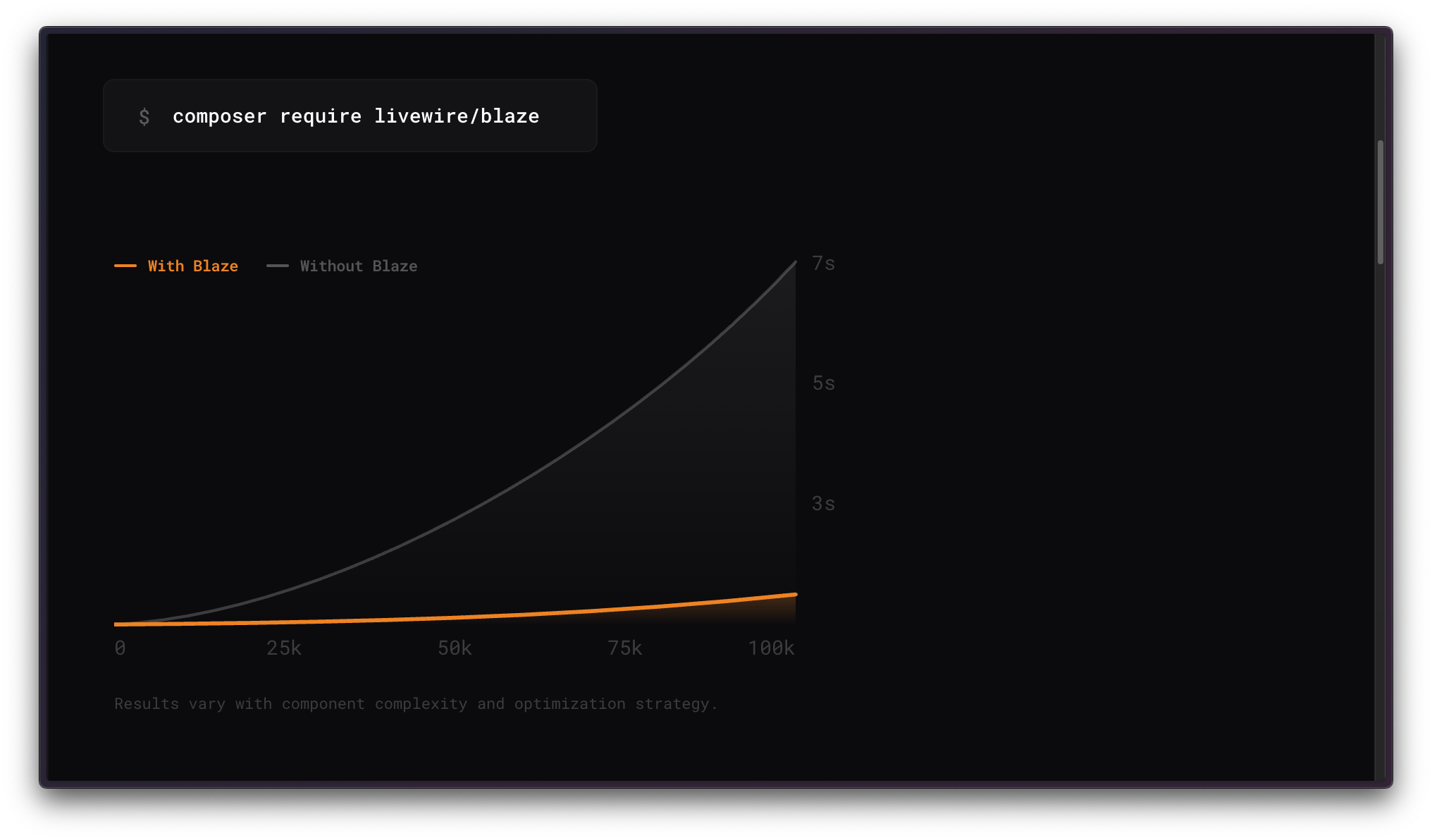
AppServiceProvider.php
class AppServiceProvider extends ServiceProvider
{
    public function boot()
    {
        Blaze::optimize()->in(
            resource_path('views/components'),
        );
    }
}
AppServiceProvider.php
class AppServiceProvider extends ServiceProvider
{
    public function boot()
    {
        Model::unguard();
    }
}
AppServiceProvider.php
class AppServiceProvider extends ServiceProvider
{
    public function boot()
    {
        Model::preventLazyLoading();
        Model::preventSilentlyDiscardingAttributes();
        Model::preventAccessingMissingAttributes();
    }
}
AppServiceProvider.php
class AppServiceProvider extends ServiceProvider
{
    public function boot()
    {
        Model::shouldBeStrict();
    }
}
AppServiceProvider.php
class AppServiceProvider extends ServiceProvider
{
    public function boot()
    {
        Model::automaticallyEagerLoadRelationships();
    }
}
// Default Laravel
| commentable_type       | commentable_id |
|------------------------|----------------|
| "App\\Models\\Post"    | 1              |
| "App\\Models\\Video"   | 2              |
// Default Laravel
| commentable_type       | commentable_id |
|------------------------|----------------|
| "App\\Models\\Post"    | 1              |
| "App\\Models\\Video"   | 2              |
// With morph map
| commentable_type | commentable_id |
|------------------|----------------|
| "posts"          | 1              |
| "videos"         | 2              |
AppServiceProvider.php
class AppServiceProvider extends ServiceProvider
{
    public function boot()
    {
        Relation::morphMap([
            'posts' => Post::class,
            'videos' => Video::class,
        ]);
    }
}
composer require spatie/laravel-morph-map-generator
AppServiceProvider.php
class AppServiceProvider extends ServiceProvider
{
    public function boot()
    {
        MorphMapGenerator::resolveUsing(
            fn (Model $model): string => $model->getTable()
        );
    }
}
route('home'); // http://example.com

url('/about'); // http://example.com/about
route('home'); // https://example.com

url('/about'); // https://example.com/about
AppServiceProvider.php
class AppServiceProvider extends ServiceProvider
{
    public function boot()
    {
        URL::forceHttps(app()->isProduction());
    }
}
app\Http\Middleware\HttpsRedirect.php
class HttpsRedirect
    {
        public function handle(Request $request, Closure $next): Response
        {
            if (! $request->isSecure() && app()->isProduction()) {
                return redirect()->secure($request->getRequestUri());
            }

            return $next($request);
        }
    }
bootstrap/app.php
return Application::configure()
        ->withMiddleware(function (Middleware $middleware): void {
            $middleware->appendToGroup('web', [
                HttpsRedirect::class,
            ]);
        })->create();
composer require laravel/pint --dev
./vendor/bin/pint --blade
composer require rector/rector --dev
rector.php
RectorConfig::configure()
    ->withPaths([
        __DIR__ . '/app',
        __DIR__ . '/bootstrap',
        __DIR__ . '/config',
        __DIR__ . '/database',
        __DIR__ . '/resources/views',
        __DIR__ . '/routes',
    ])
    ->withSkipPath(__DIR__ . '/bootstrap/cache')
    ->withPhpSets()
    ->withPreparedSets(
        deadCode: true,
        codeQuality: true,
        typeDeclarations: true,
        privatization: true,
        earlyReturn: true,
        strictBooleans: true,
    );
composer require driftingly/rector-laravel --dev
composer.json
{
    "scripts": {
        "lint": [
            "rector",
            "pint --parallel"
        ]
    }
}
.github/workflows/lint.yml
name: linter

on:
  push:
    branches:
      - main
  pull_request:
    branches:
      - main

permissions:
  contents: write

jobs:
  quality:
    runs-on: ubuntu-latest
    steps:
      - uses: actions/checkout@v6
        with:
          persist-credentials: false

      - name: Setup PHP
        uses: shivammathur/setup-php@v2
        with:
          php-version: '8.5'

      - name: Install Dependencies
        run: |
          composer install -q --no-ansi --no-interaction --no-scripts --no-progress --prefer-dist
          npm install

      - name: Run Linting
        run: composer lint

      # - name: Commit Changes
      #   uses: stefanzweifel/git-auto-commit-action@v7
      #   with:
      #     commit_message: fix code style
      #     commit_options: '--no-verify'
      #     file_pattern: |
      #       **/*
      #       !.github/workflows/*
.github/dependabot.yml
version: 2

updates:
  - package-ecosystem: "composer"
    directory: "/"
    schedule:
      interval: "weekly"
    cooldown:
      default-days: 5
composer require phpstan/phpstan --dev
composer require larastan/larastan --dev
phpstan.neon
includes:
    - vendor/larastan/larastan/extension.neon
    - vendor/nesbot/carbon/extension.neon

parameters:

    paths:
        - app/
        - bootstrap/
        - config/
        - database/
        - routes/

    # Level 10 is the highest level
    level: 7

    treatPhpDocTypesAsCertain: false

    checkModelProperties: true

    checkConfigTypes: true

    checkOctaneCompatibility: true
phpstan.neon
includes:
    - vendor/larastan/larastan/extension.neon
    - vendor/nesbot/carbon/extension.neon

parameters:

    paths:
        - app/
        - bootstrap/
        - config/
        - database/
        - routes/

    # Level 10 is the highest level
    level: 7

    treatPhpDocTypesAsCertain: false

    checkModelProperties: true

    checkConfigTypes: true

    checkOctaneCompatibility: true
composer require tomasvotruba/bladestan --dev
phpstan.neon
includes:
    - vendor/larastan/larastan/extension.neon
    - vendor/nesbot/carbon/extension.neon
    - vendor/tomasvotruba/bladestan/config/extension.neon

parameters:

    paths:
        - app/
        - bootstrap/
        - config/
        - database/
        - resources/views/
        - routes/

    # Level 10 is the highest level
    level: 7

    treatPhpDocTypesAsCertain: false

    checkModelProperties: true

    checkConfigTypes: true

    checkOctaneCompatibility: true
composer require pestphp/pest --dev
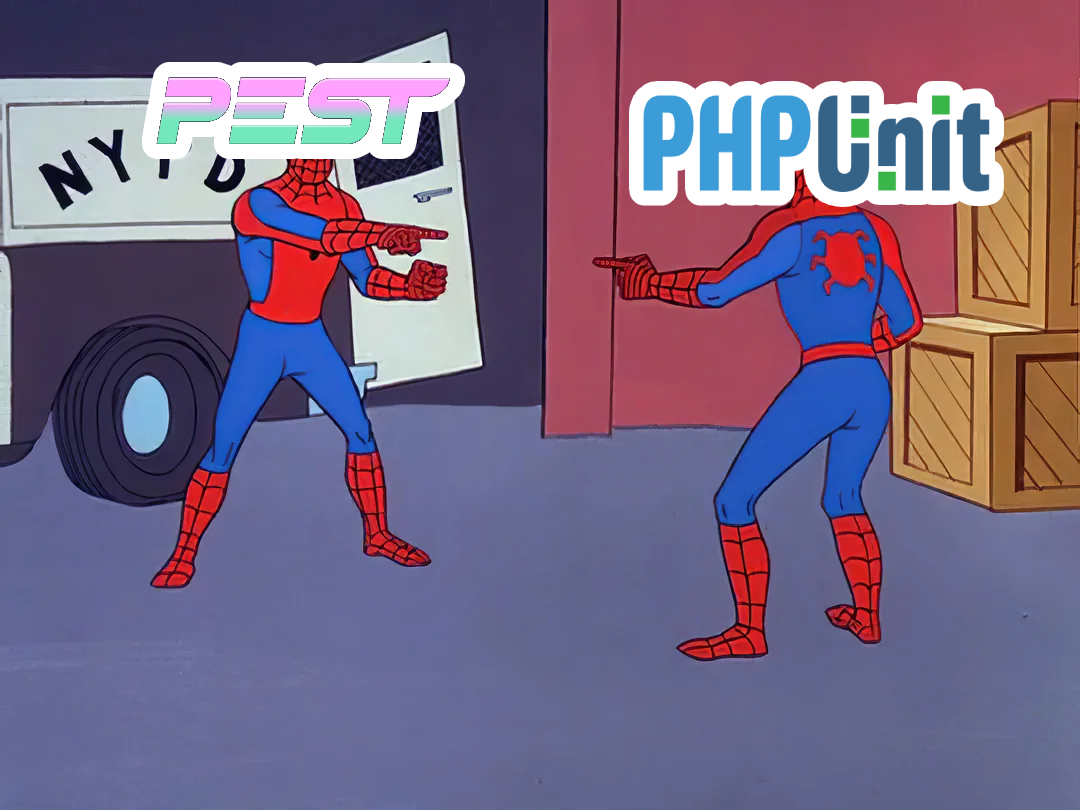

./vendor/bin/pest --tia

# Only re-runs the tests affected by your changes
# A 10 min suite can replay in ~4 sec
composer require barryvdh/laravel-debugbar --dev
composer require barryvdh/laravel-ide-helper --dev
composer.json
{
    "scripts": {
        "post-update-cmd": [
           "@php artisan ide-helper:generate",
           "@php artisan ide-helper:meta",
           "@php artisan ide-helper:models --nowrite",
           "@php artisan ide-helper:eloquent"
        ]
    }
}
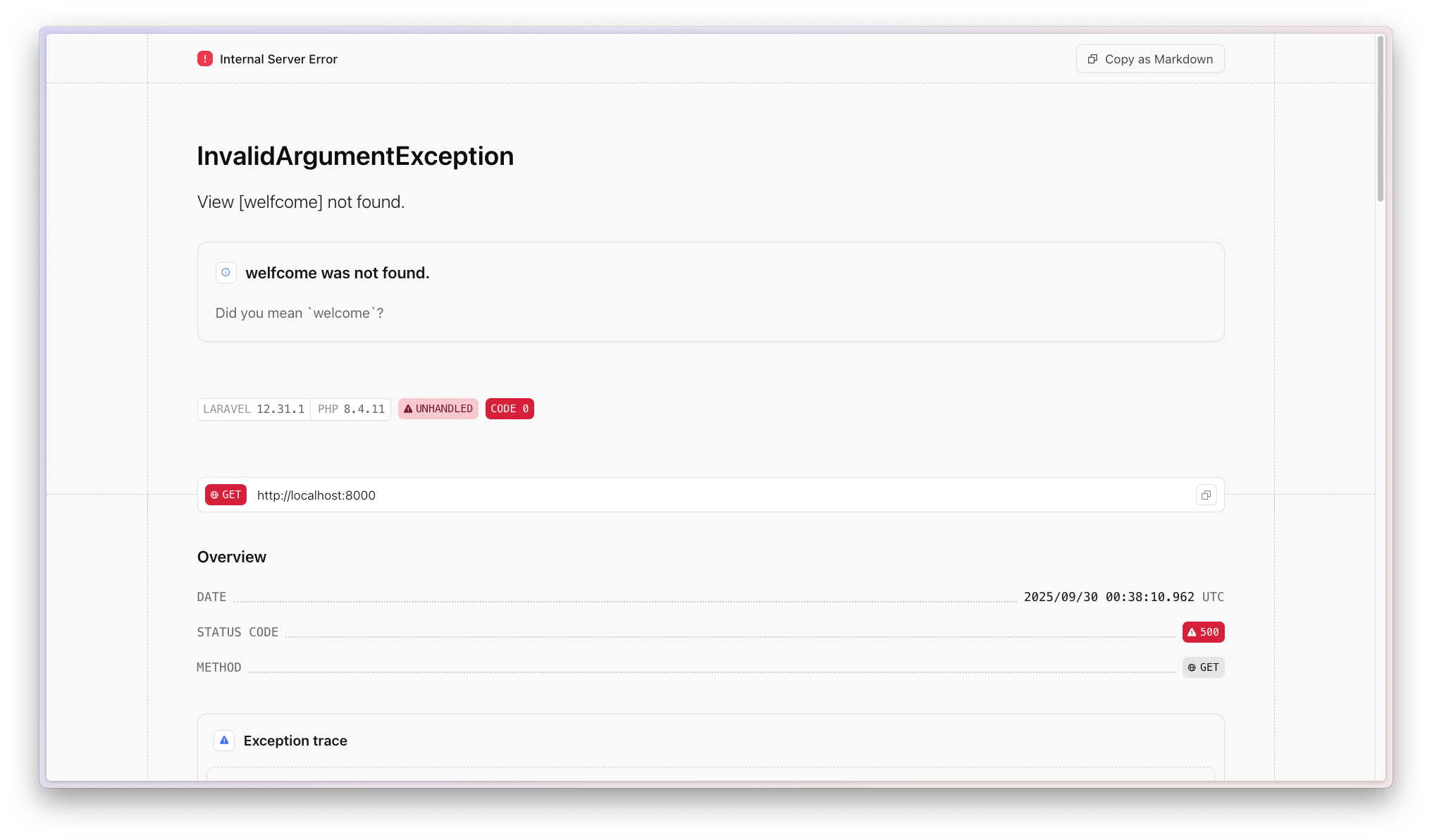
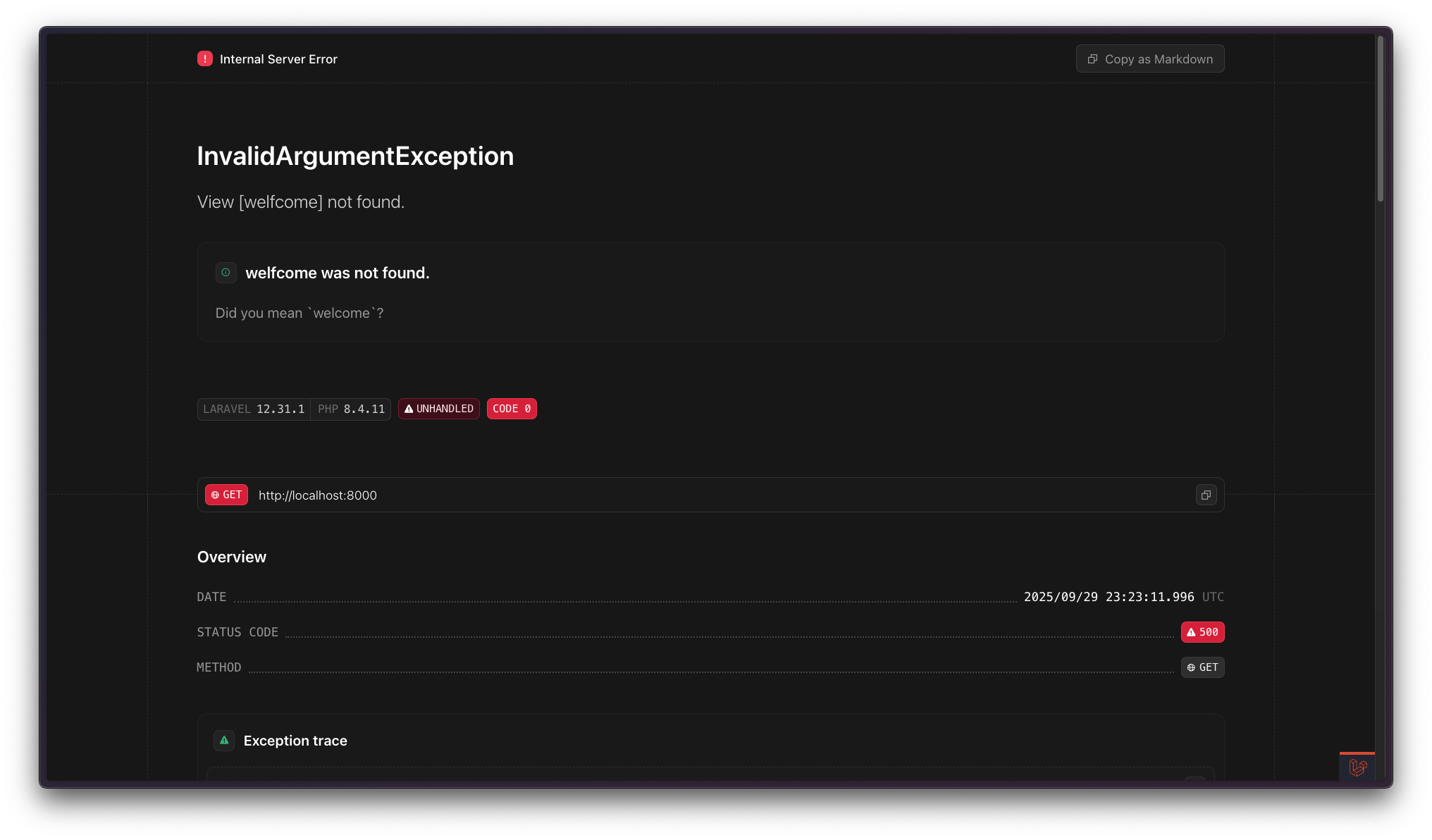
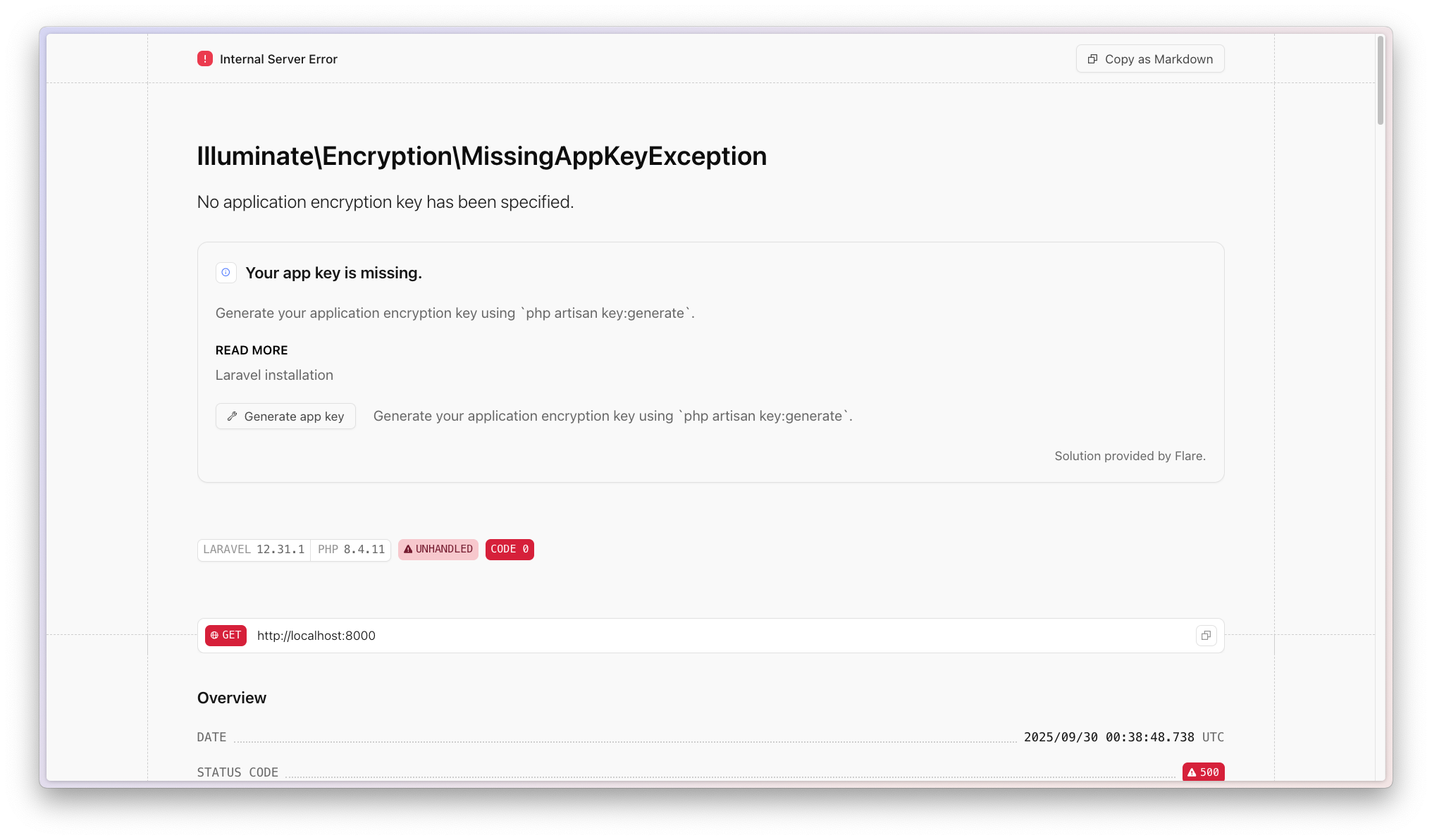
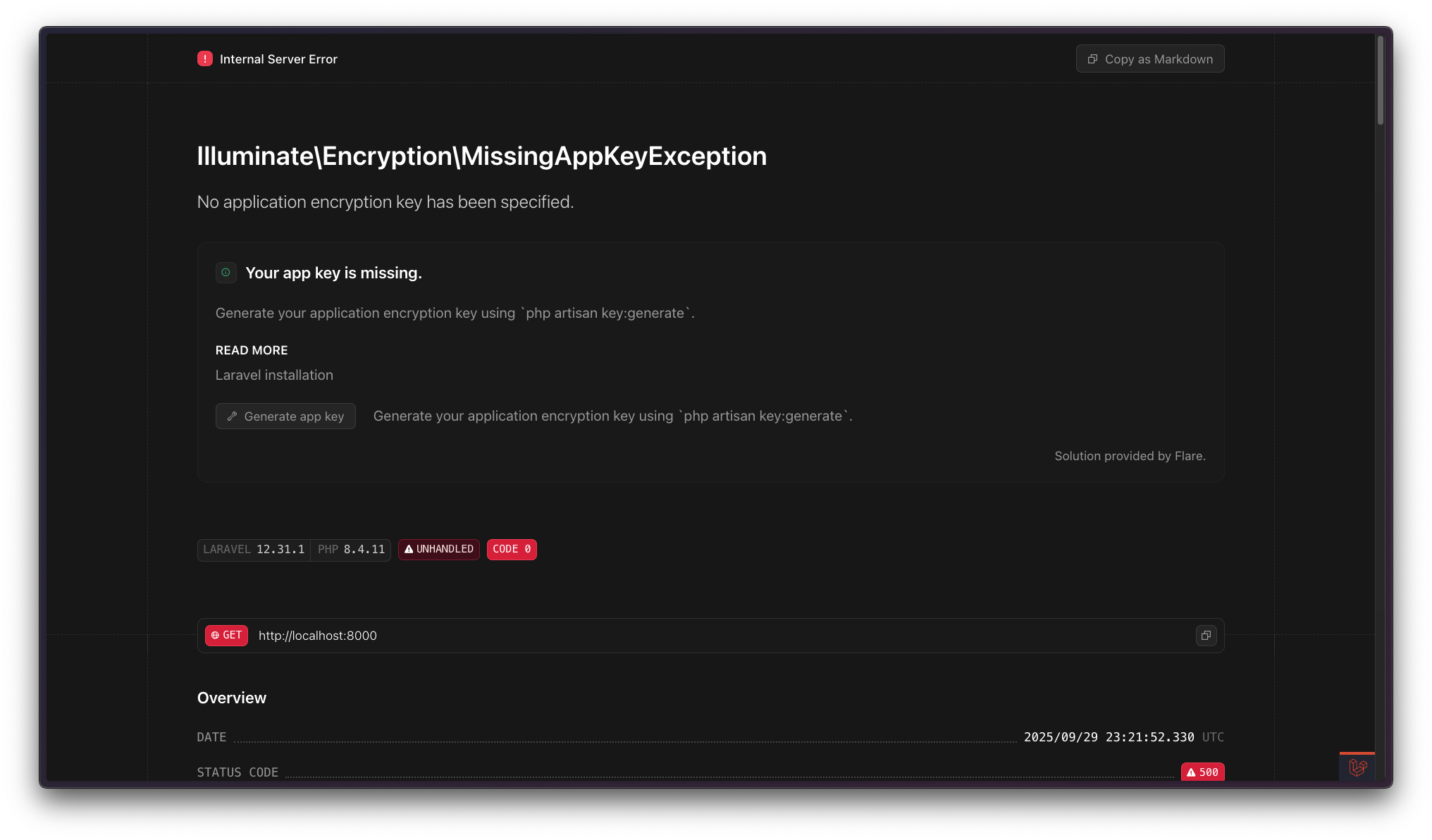
composer require spatie/laravel-error-solutions --dev
config/app.php
return [
    // ...

    'editor' => env('APP_EDITOR', 'phpstorm'),
];
npm install \
  eslint \
  @eslint/js \
  prettier \
  eslint-config-prettier \
  prettier-plugin-tailwindcss \
  prettier-plugin-organize-inputs
package.json
{
    "scripts": {
        "build": "vite build",
        "dev": "vite",
        "format": "prettier --write resources/",
        "format:check": "prettier --check resources/",
        "lint": "eslint . --fix"
    }
}
npm install vitest
package.json
{
    "scripts": {
        "build": "vite build",
        "dev": "vite",
        "test": "vitest run",
        "test:watch": "vitest"
    }
}
formatTitle.test.js
import { test, expect } from 'vitest'
import { formatTitle } from './utils'

test('formats a title for display', () => {
    expect(formatTitle('  Laravel   Tips  ')).toBe('LARAVEL TIPS')
})
AppServiceProvider.php
class AppServiceProvider extends ServiceProvider
{
    public function boot()
    {
        Vite::useAggressivePrefetching();
    }
}
 npm
npm
 Yarn
Yarn
 pnpm
pnpm
 Bun
npm
Yarn
pnpm
Bun
Bun
npm
Yarn
pnpm
Bun
bun install   # Drop-in replacement for npm install
bun run dev   # Way faster script execution
 Bun
Bun
bun install   # Drop-in replacement for npm install
bun run dev   # Way faster script execution
nvm (Node Version Manager)
nvm use  # reads .nvmrc automatically
nvm install
fnm (Fast Node Manager)
fnm use  # also reads .nvmrc
fnm install
.nvmrc
26.7.0
<button>{{ __('Sign up') }}</button>
<button>{{ __('auth.sign_up') }}</button>

<button>Sign up</button>
request()->get('name');
request()->input('name');
request()->name;
request('name');
request()->get('name');
request()->get('published_at');
request()->get('active');
request()->get('priority');
request()->string('name');
request()->date('published_at');
request()->boolean('active');
request()->enum('priority', PriorityEnum::class);
app/Http/Middleware/AddContext.php
Context::add('url', $request->url());
Context::add('trace_id', Str::uuid()->toString());
php artisan stub:publish

# [INFO]  Stubs published successfully.

ls ./stubs

# stubs
# ├── cast.inbound.stub
# ├── cast.stub
# ├── class.invokable.stub
# ├── class.stub
# ├── console.stub
# ├── controller.api.stub
# ├── controller.invokable.stub
# ├── controller.model.api.stub
# ├── controller.model.stub
# ├── controller.nested.api.stub
# ├── controller.nested.singleton.api.stub
# ├── controller.nested.singleton.stub
# ├── controller.nested.stub
# ├── controller.plain.stub
# ├── controller.singleton.api.stub
# ├── controller.singleton.stub
# ├── controller.stub
# ├── enum.backed.stub
# ├── enum.stub
# ├── event.stub
# ├── factory.stub
# ├── job.queued.stub
# ├── job.stub
# ├── listener.queued.stub
# ├── listener.stub
# ├── listener.typed.queued.stub
# ├── listener.typed.stub
# ├── mail.stub
# ├── markdown-mail.stub
# ├── markdown-notification.stub
# ├── middleware.stub
# ├── migration.create.stub
# ├── migration.stub
# ├── migration.update.stub
# ├── model.pivot.stub
# ├── model.stub
# ├── notification.stub
# ├── observer.plain.stub
# ├── observer.stub
# ├── pest.stub
# ├── pest.unit.stub
# ├── policy.plain.stub
# ├── policy.stub
# ├── provider.stub
# ├── request.stub
# ├── resource-collection.stub
# ├── resource.stub
# ├── rule.stub
# ├── scope.stub
# ├── seeder.stub
# ├── test.stub
# ├── test.unit.stub
# ├── trait.stub
# └── view-component.stub
return new class extends Migration
{
    /**
     * Run the migrations.
     */
    public function up(): void
    {
        Schema::create('{{ table }}', function (Blueprint $table) {
            $table->id();
            $table->timestamps();
        });
    }

    /**
     * Reverse the migrations.
     */
    public function down(): void
    {
        Schema::dropIfExists('{{ table }}');
    }
};
return new class extends Migration
{
    /**
     * Run the migrations.
     */
    public function up(): void
    {
        Schema::create('{{ table }}', function (Blueprint $table) {
            $table->id();
            $table->timestamps();
        });
    }

    /**
     * Reverse the migrations.
     */
    public function down(): void
    {
        Schema::dropIfExists('{{ table }}');
    }
};
return new class extends Migration
{
    /**
     * Run the migrations.
     */
    public function up(): void
    {
        Schema::create('{{ table }}', function (Blueprint $table) {
            $table->id();
            $table->timestamps();
        });
    }
};
return new class extends Migration
{
    /**
     * Run the migrations.
     */
    public function up(): void
    {
        Schema::create('{{ table }}', function (Blueprint $table) {
            $table->id();
            $table->timestamps();
        });
    }
};
return new class extends Migration
{
    public function up(): void
    {
        Schema::create('{{ table }}', function (Blueprint $table) {
            $table->id();
            $table->timestamps();
        });
    }
};
return new class extends Migration
{
    public function up(): void
    {
        Schema::create('{{ table }}', function (Blueprint $table) {
            $table->id();
            $table->timestamps();
        });
    }
};
return new class extends Migration
{
    public function up(): void
    {
        Schema::create('{{ table }}', function (Blueprint $table) {
            $table->uuid()->primary();
            $table->timestamps();
        });
    }
};
return new class extends Migration
{
    public function up(): void
    {
        Schema::create('{{ table }}', function (Blueprint $table) {
            $table->uuid()->primary();
            $table->softDeletes();
            $table->timestamps();
        });
    }
};
Pest.php
pest()->extend(TestCase::class)
    ->beforeEach(function () {
        $this->withoutVite();
    });
sleep(2);
Sleep::for(2)->seconds();

Sleep::for(300)->milliseconds();

Sleep::until(now()->addSeconds(30));
z
z
Z
pest()->extend(TestCase::class)
    ->beforeEach(function () {
        Sleep::fake();
    });
test('we dont wait for 2 seconds', function () {
    invoke_code_that_calls_sleep();

    Sleep::assertSleptTimes(0);
    Sleep::assertNeverSlept();
});
pest()->extend(TestCase::class)
    ->beforeEach(function () {
        Http::fake([
            'api.example.com/*' => Http::response(['data' => 'value']),
        ]);

        Http::preventStrayRequests();
    });
test('the article has an id', function () {
    Str::createUuidsUsing(fn () => 'abcdefgh-ijkl-mnop-qrst-uvwxyz123456');

    $article = Article::create();

    expect($article->uuid)->toBe('abcdefgh-ijkl-mnop-qrst-uvwxyz123456');

    Str::createUuidsNormally();
});
pest()->extend(TestCase::class)
    ->beforeEach(function () {
        Str::createRandomStringsNormally();
        Str::createUlidsNormally();
        Str::createUuidsNormally();
    });
FilamentServiceProvider.php
class FilamentServiceProvider extends ServiceProvider
{
    public function boot()
    {
        Table::configureUsing(fn (Table $table): Table => $table
            ->striped()
            ->deferLoading()
            ->reorderableColumns()
            ->columnManagerColumns(2)
            ->columnManagerTriggerAction(fn (Action $action): Action => $action->button()->label('Columns'))
            ->filtersTriggerAction(fn (Action $action): Action => $action->button()->label('Filters')->slideOver()->closeModalByClickingAway(true))
            ->filtersFormWidth(Width::Small)
            ->paginationPageOptions([10, 25, 50, 100])
        );

        Select::configureUsing(fn (Select $field): Select => $field
            ->searchable()
            ->preload()
        );

        DatePicker::configureUsing(fn (DatePicker $datePicker): DatePicker => $datePicker
            ->minDate(Date::createFromDate(1500, 1, 1))
            ->maxDate(now()->addYears(30)));

        Column::configureUsing(fn (Column $column): Column => $column
            ->toggleable()
        );

        TextColumn::configureUsing(fn (TextColumn $textColumn): TextColumn => $textColumn
            ->searchable()
            ->sortable()
        );

        Notification::configureUsing(fn (Notification $notification): Notification => $notification
            ->duration(10_000)
        );
    }
}
@view-transition {
    navigation: auto;
}

:root {
    accent-color: #ff6600;
    color-scheme: light dark;
    interpolate-size: allow-keywords;
}

html {
    scroll-behavior: smooth;
    scroll-padding-top: 1rem;
    scrollbar-width: thin;
}

h1, h2, h3, h4, h5, h6 {
    text-wrap: balance;
}

p {
    text-wrap: pretty;
    max-width: 75ch;
    hanging-punctuation: first last;
    overflow-wrap: break-word;
    hyphens: auto;
}

img {
    max-width: 100%;
    height: auto;
    vertical-align: middle;
    font-style: italic;
    background-repeat: no-repeat;
    background-size: cover;
    shape-margin: 1rem;
}
Recap
“
”
“Great is just good,
but repeatable.”
Steph Smith

.
/
Esc
No slides found
Big Mode
B
Compact Mode
C